WebAura runs compatible userscripts and content extensions on phones, tablets and desktop. It is not a complete desktop Chrome runtime, so this guide explains what to install, where to get it, and what to expect on each platform.
Where to get extensions
Three ways to add tools.
Everything installs through WebAura’s own extension manager, so you always see what a tool is and which sites it can touch before it runs.
Chrome Web Store
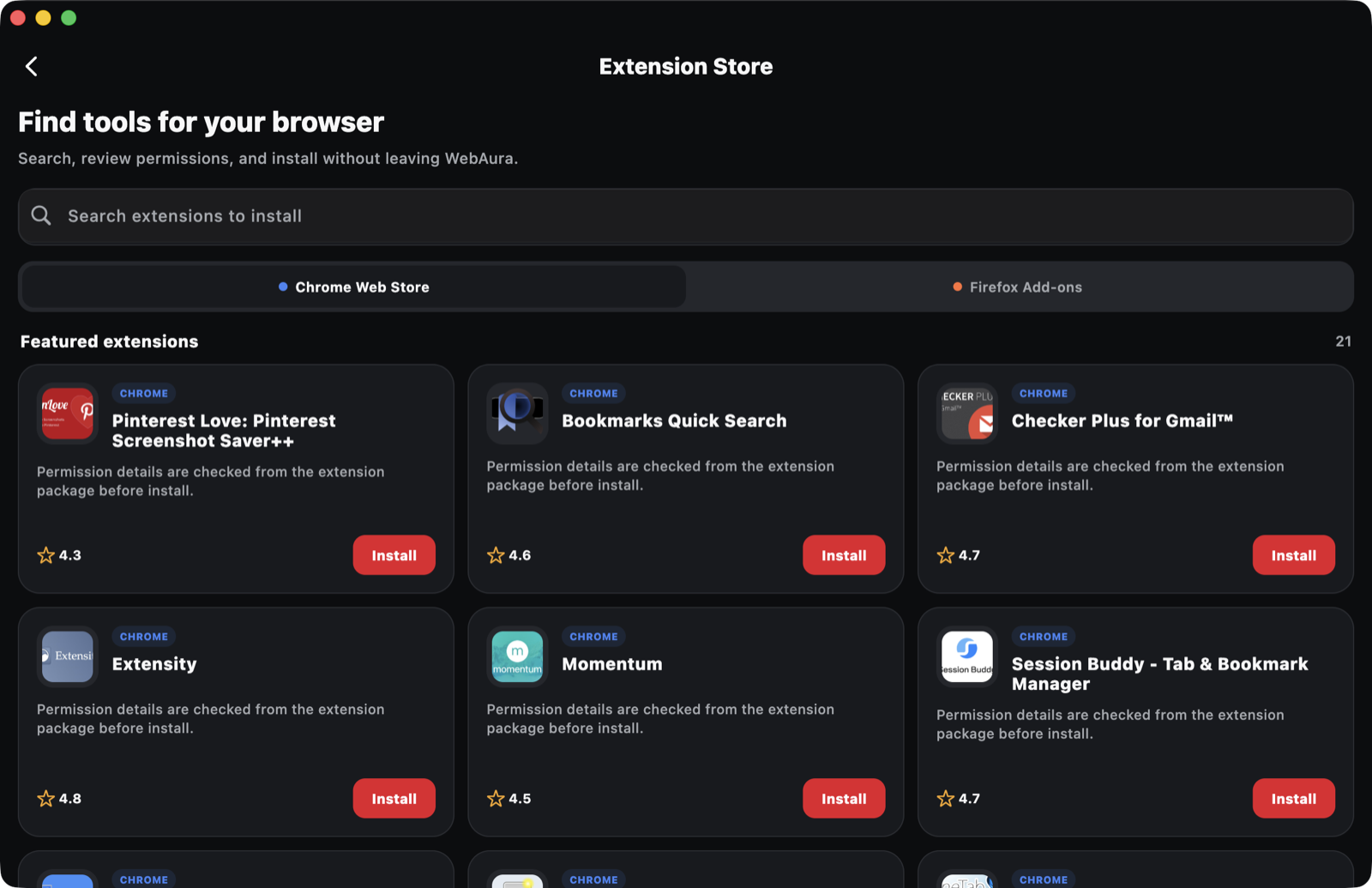
Browse the Chrome Web Store inside WebAura and open a compatible extension’s page. WebAura offers to install supported packages, unpacks them, and shows the requested permissions before anything is enabled. Content-focused extensions work best; see the compatibility notes below.
JSUserscript directories
Standard .user.js scripts are the most direct fit. Community directories such as Greasy Fork and OpenUserJS list thousands of scripts — open a script’s install link in WebAura and it imports straight into the manager.
+Your own scripts
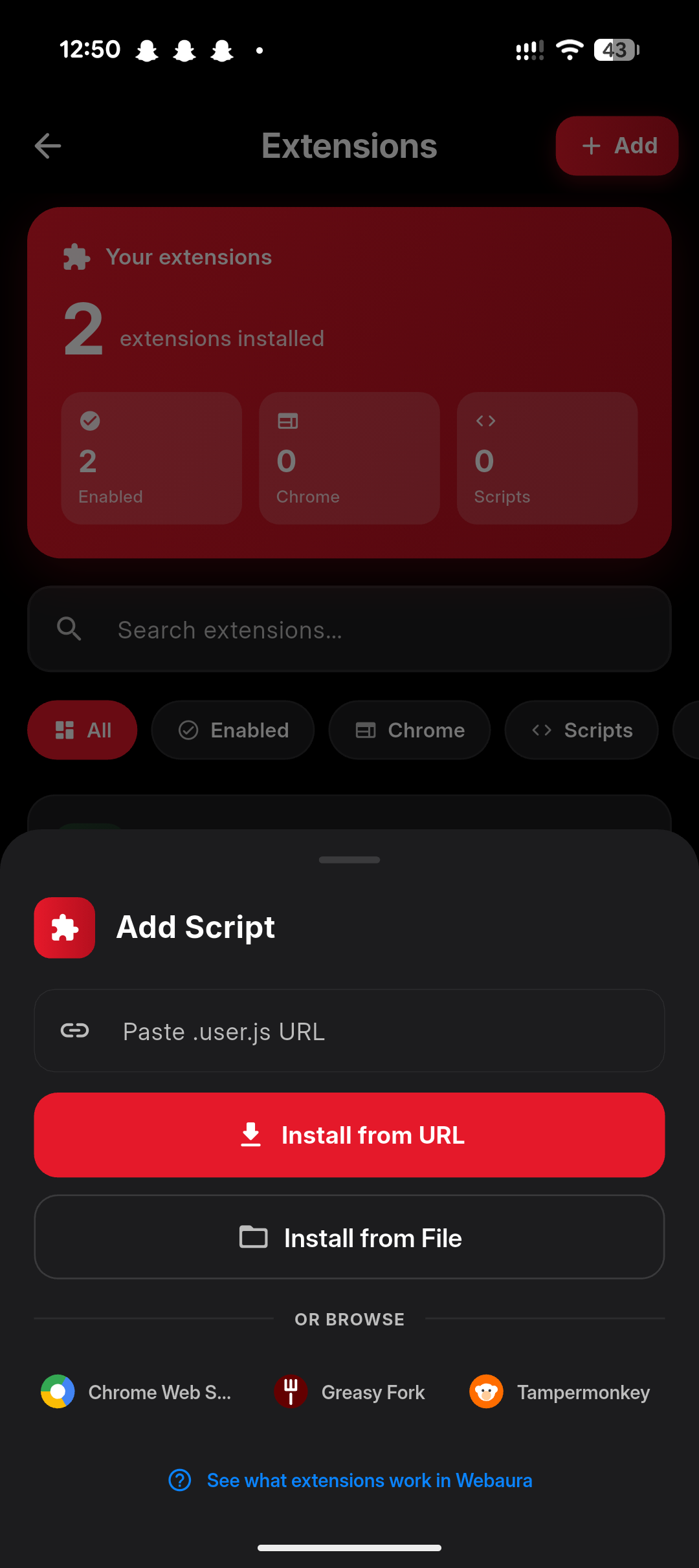
Import a userscript from a direct link, paste its source, or pick a local file. This is meant for code you wrote or reviewed yourself — never paste code you found somewhere and do not understand.
Installing
From store page to running tool.
The same flow applies to extensions and userscripts, on every platform.
01
Open the source
Visit the Chrome Web Store, a userscript directory or your own script link inside WebAura.
02
Review access
WebAura lists the sites and permissions the tool requests before it can run. Nothing runs until you approve.
03
Enable and pin
Turn the tool on in Settings → Extensions. Pin its action to the toolbar or quick menu if you use it often.
04
Manage later
Open the manager any time to inspect, restrict to fewer sites, update, disable or remove a tool.
05
Popups in place
Extension popup and options pages open as an in-app sheet on phones and as panels on desktop.
Start in Settings → Extensions
Use WebAura’s own extension manager to add, disable, inspect or remove compatible tools. Install only code you understand or trust, review the sites on which it is allowed to run, and prefer the smallest access that does the job.
What works well
Tools whose main work happens inside web pages: page cleaners and readability tools, cosmetic and element-hiding filters, dark-mode stylers, keyboard helpers, per-site tweaks and most userscripts. Popup UIs, options pages, storage, and per-site enable/disable are supported.
Common limitations
Extensions that depend on a full desktop browser process may not work: background service workers with long-lived native APIs, native messaging to desktop apps, devtools panels, and privileged Chrome APIs. Large blocking rule engines run through WebAura’s own filter pipeline instead, which supports a practical subset.
Platform expectations
Android and Windows offer the widest compatibility, including request-level ad filtering. iPhone, iPad and Mac follow Apple’s WebKit rules: page-level tools work well, but no browser app can intercept every network request there, so ad blocking relies on content rules and cosmetic filtering and can be less complete. No platform can promise that every extension will work.
Ad blocking, honestly
WebAura ships its own filter-based ad and tracker blocking with per-site controls; extensions can add cosmetic rules on top. No blocker removes every ad, and sites change how they deliver advertising. If a site breaks, allow-list it for that site rather than uninstalling everything.
Built-in alternatives
Before installing anything, check WebAura’s built-in reader, page translation, appearance and theme controls, media detection, download manager, privacy tools and script controls. A built-in tool is faster, safer and easier to support than a third-party package doing the same job.
Permissions matter
A script can read or change matching pages within the access WebAura grants it — including anything you type on those pages. Do not install tools that request broad access without a clear reason, and reduce a tool’s site list when you only need it in one place.
If something breaks
Disable the newest extension, reload the page and test again. Check that a userscript’s match rules actually include the site. For a blank popup or a site that stops loading, disable extensions one at a time to find the cause, then report the extension name, its source, the site and your WebAura version to support.
Updates and removal
Imported userscripts can be re-imported from their source link to update. Store extensions can be reinstalled from their store page when a new version ships. Removing a tool from the manager also removes the storage it kept in WebAura.
See it in the app
The Extension Store lets you search, review permissions and install without leaving WebAura, and the Extensions area lists everything you have installed with per-tool switches, site access and detail views.
Extension Store on desktopExtension manager on phone
Compatibility is not an endorsement
Third-party extension names, stores and scripts — including Google Chrome, the Chrome Web Store, Greasy Fork and OpenUserJS — belong to their respective owners and are referenced only to describe compatibility. CreedStack does not guarantee or audit every third-party package. Their code, data handling and availability are governed by their developers.
 Chrome Web Store