

Browse
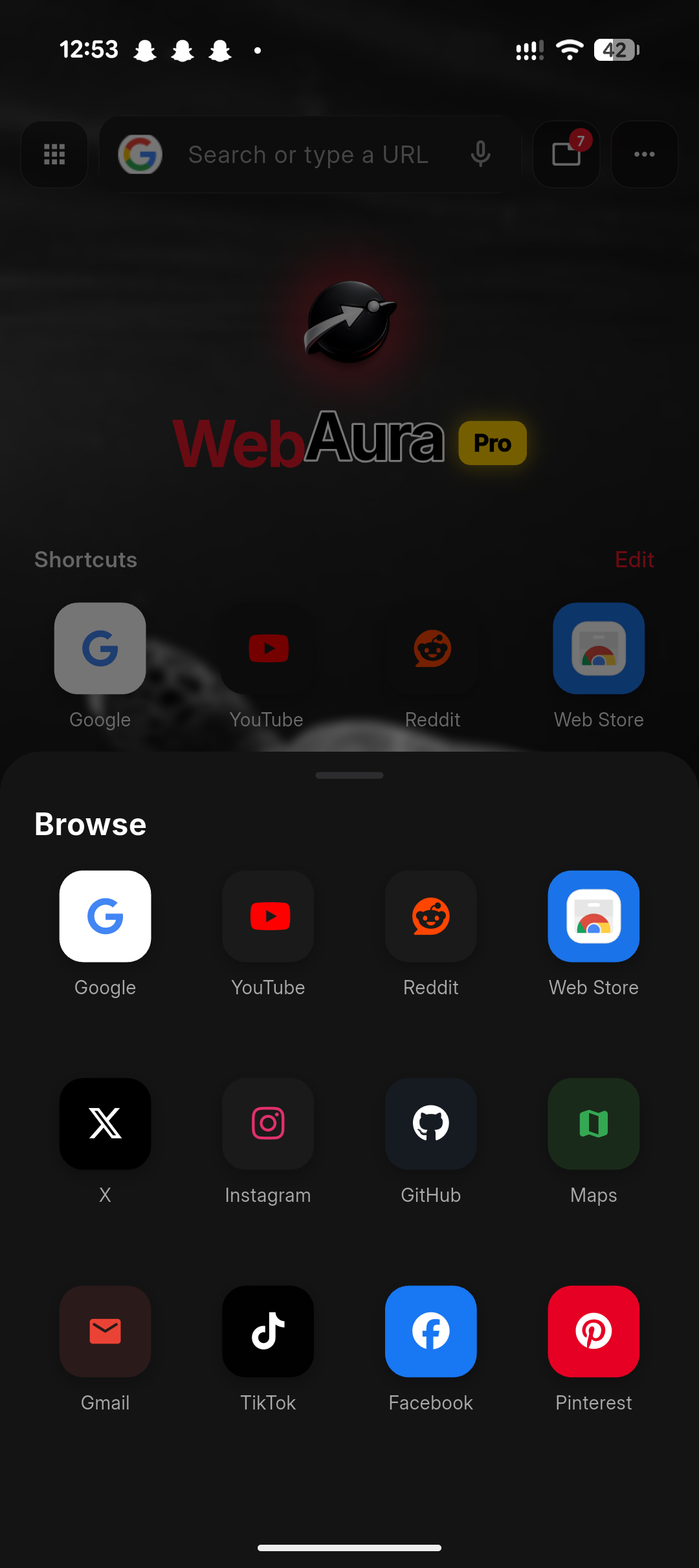
Regular and private tabs, shortcuts, page tools and familiar navigation.
 WebAuraby CreedStack Motions
A private, capable browser that brings tabs, downloads, saved media, music tools and extension support into one focused workspace. See more
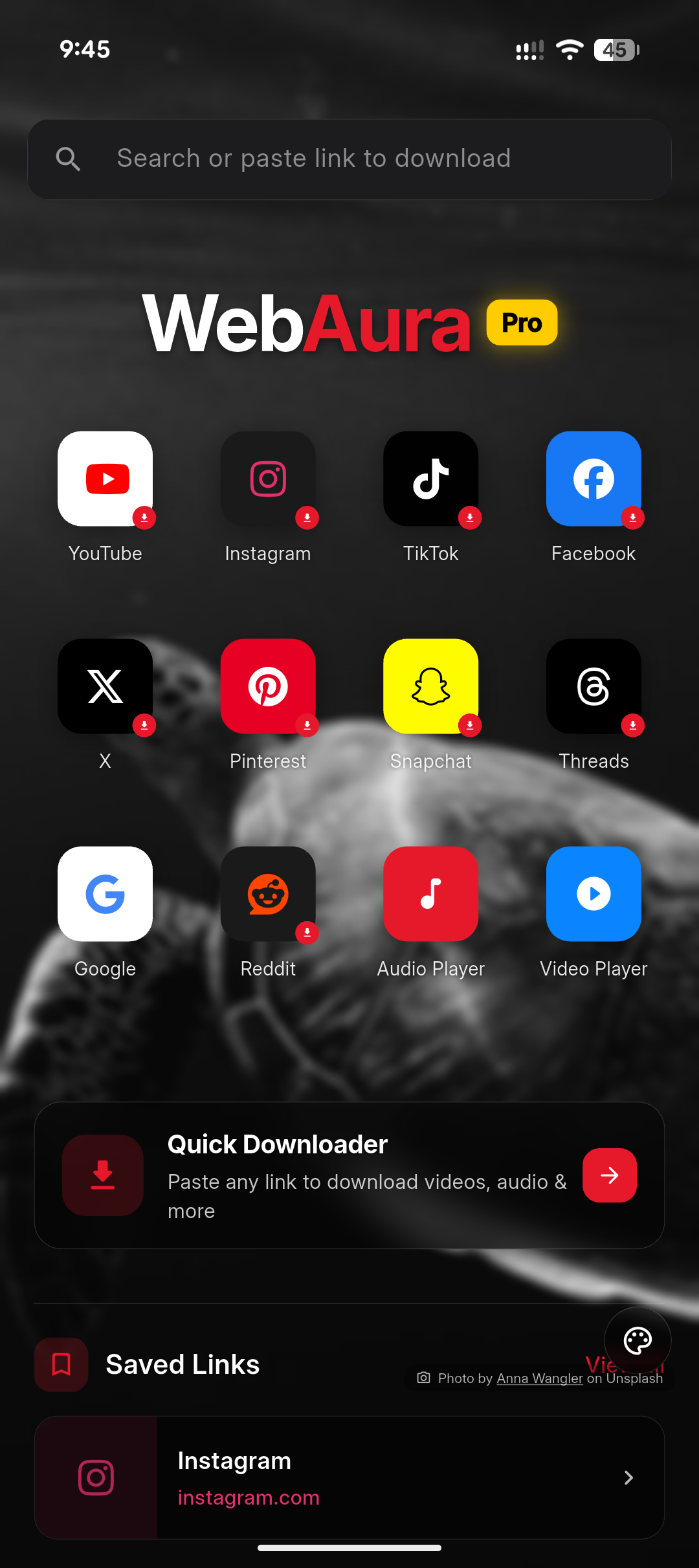
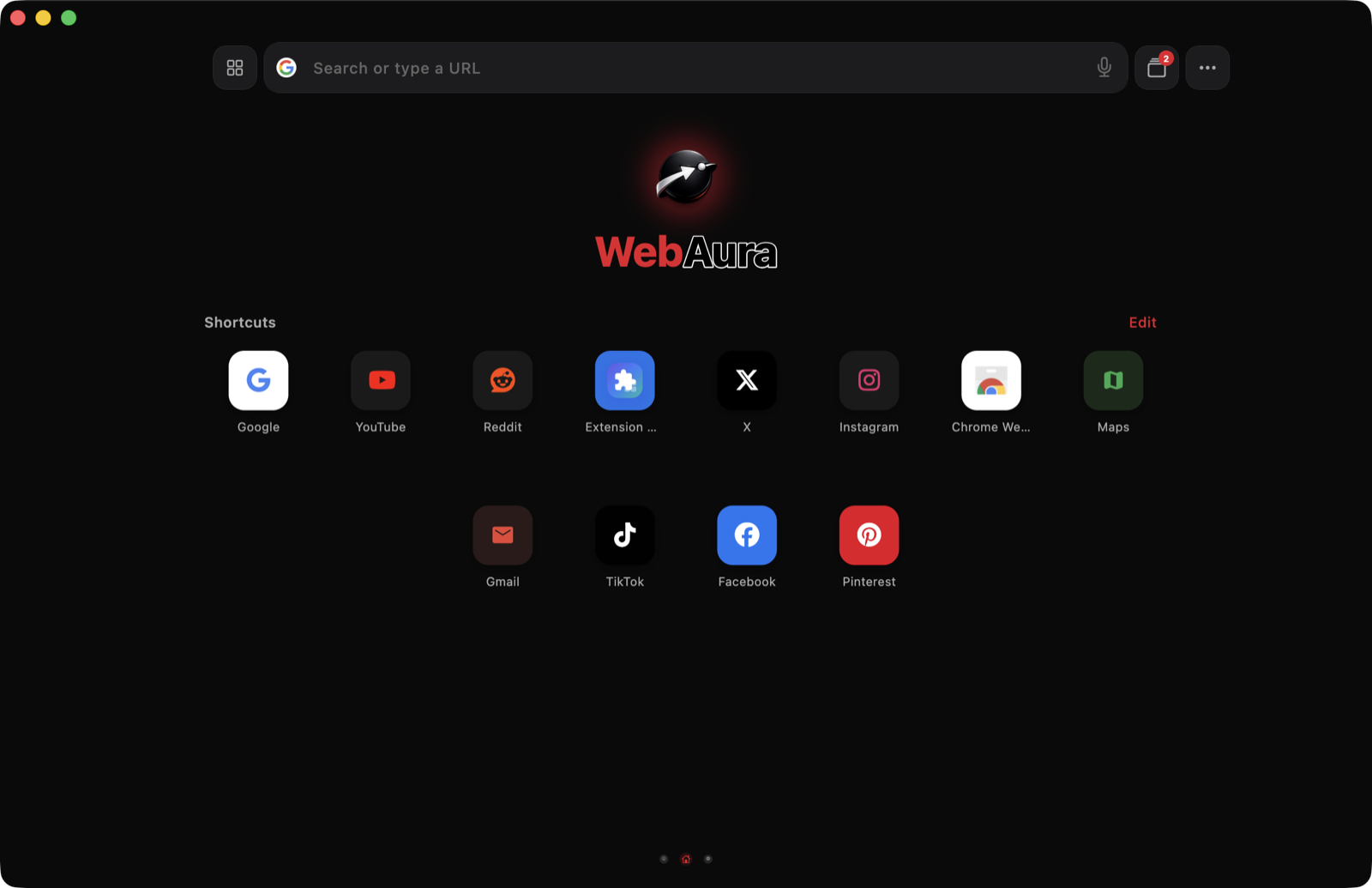
One connected workspace
WebAura connects the tools around a browsing session, so a supported file can move from a page into downloads, a media library or a protected folder without becoming a separate workflow.
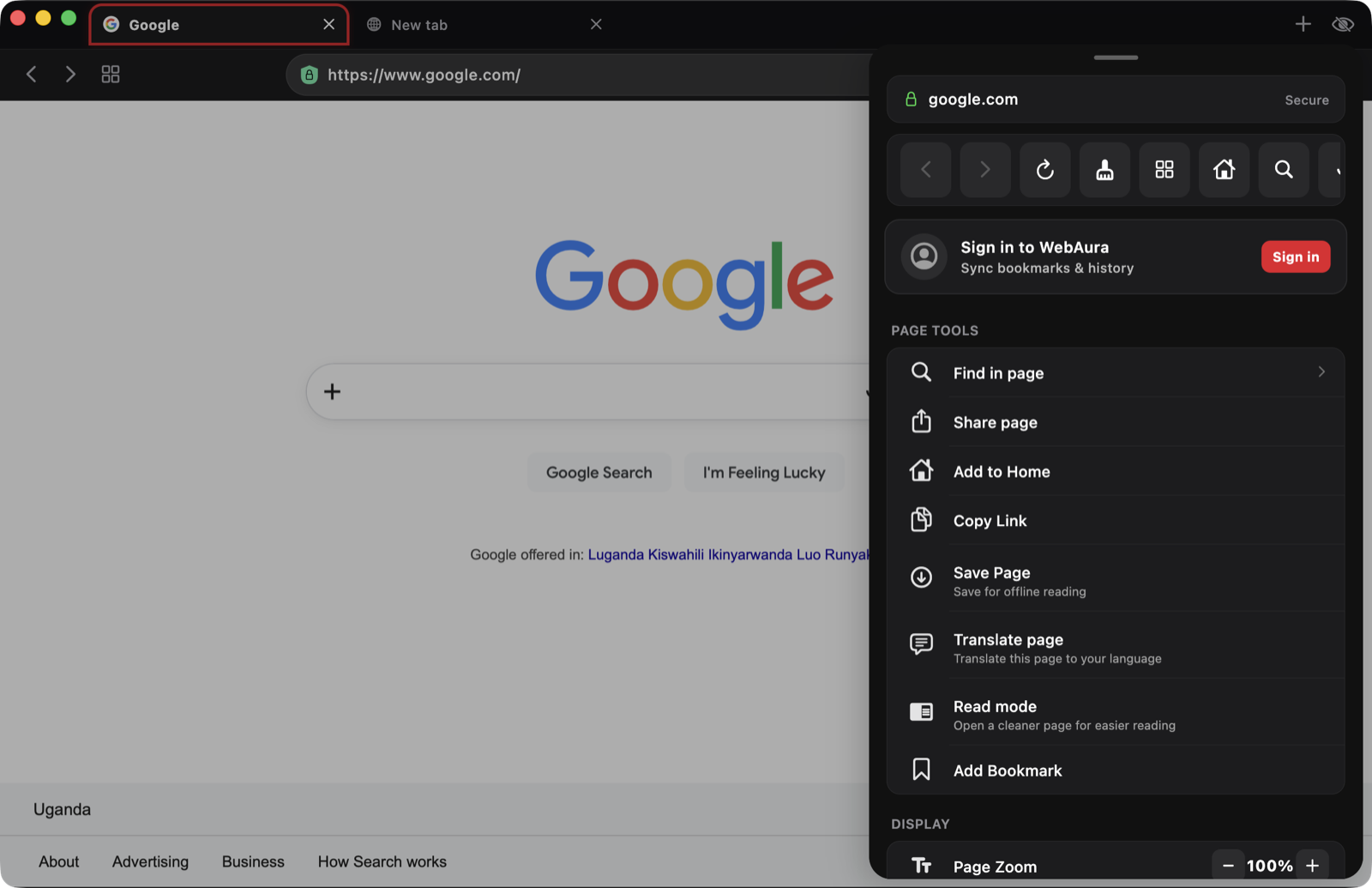
Regular and private tabs, shortcuts, page tools and familiar navigation.
Available formats, progress, completed files and subtitle tools.
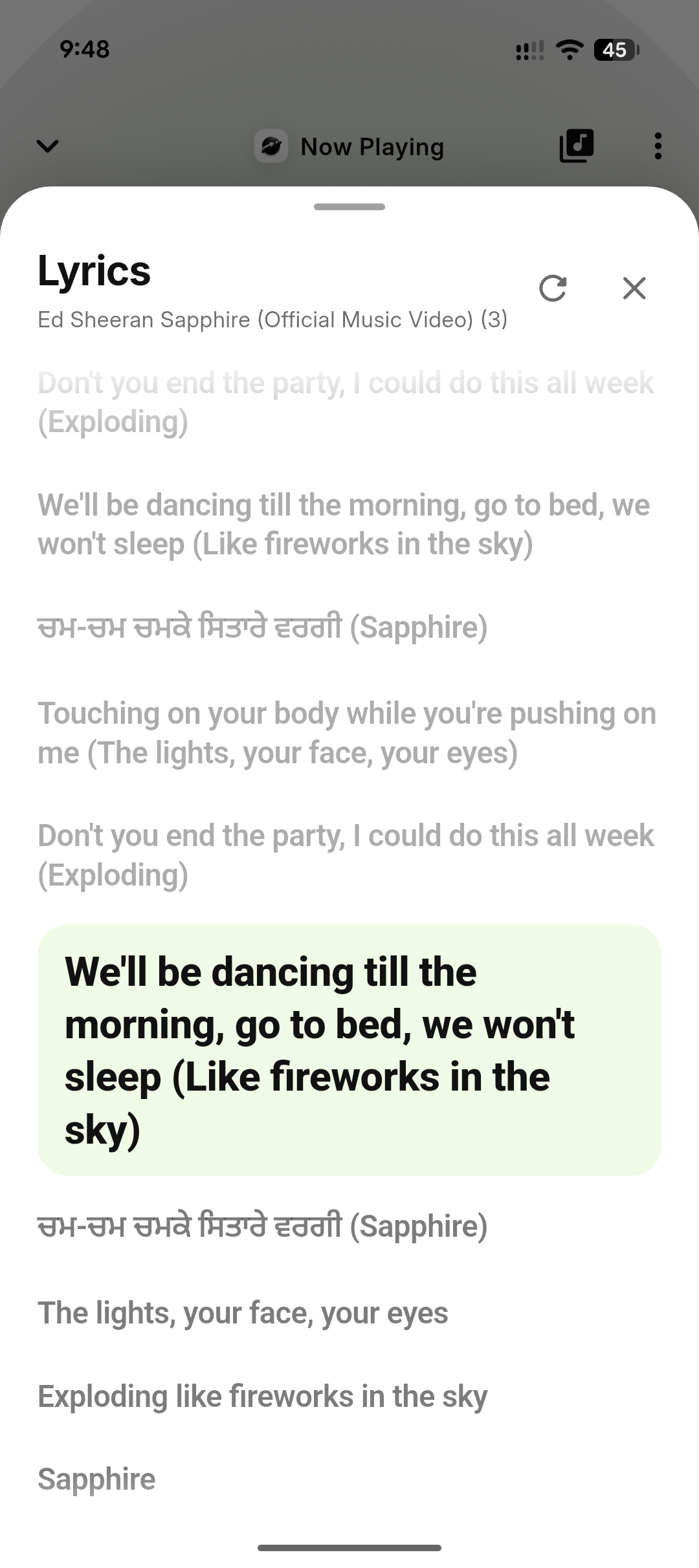
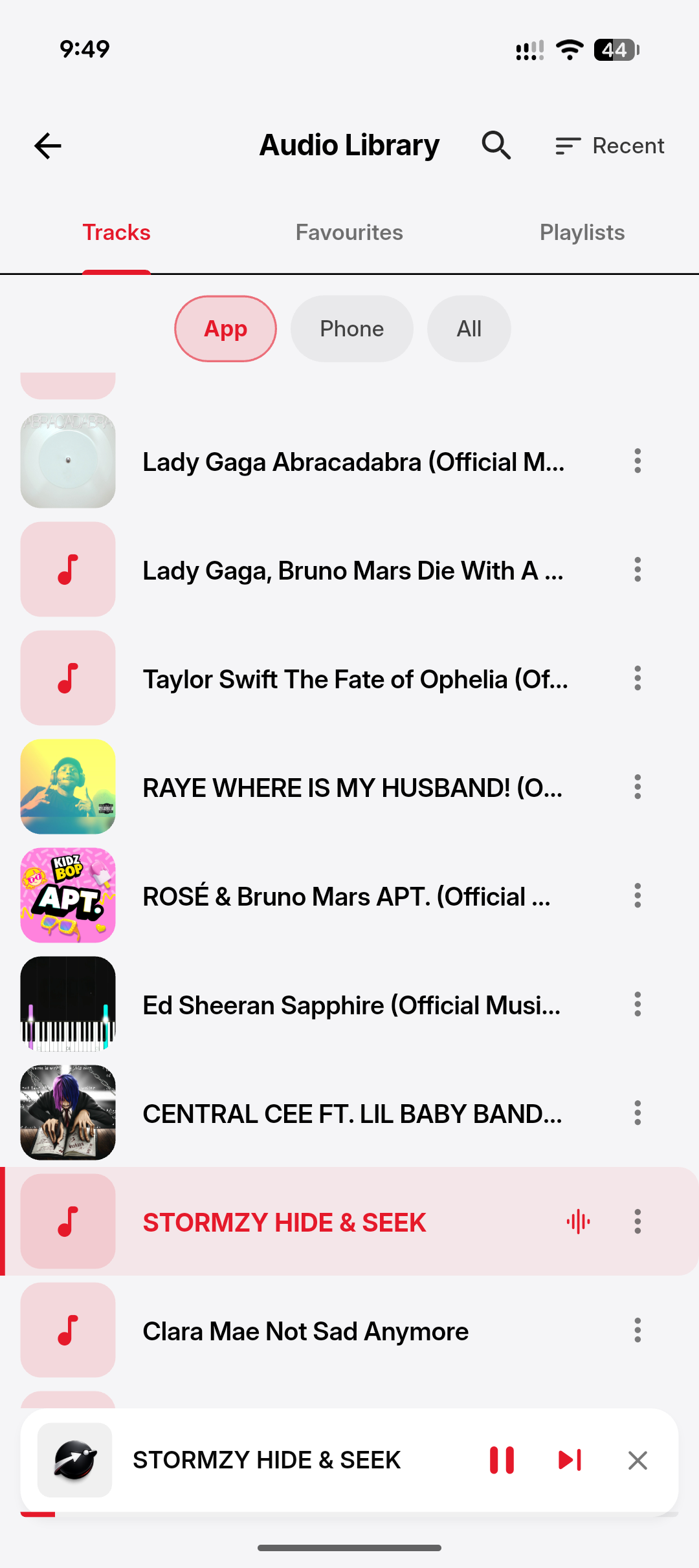
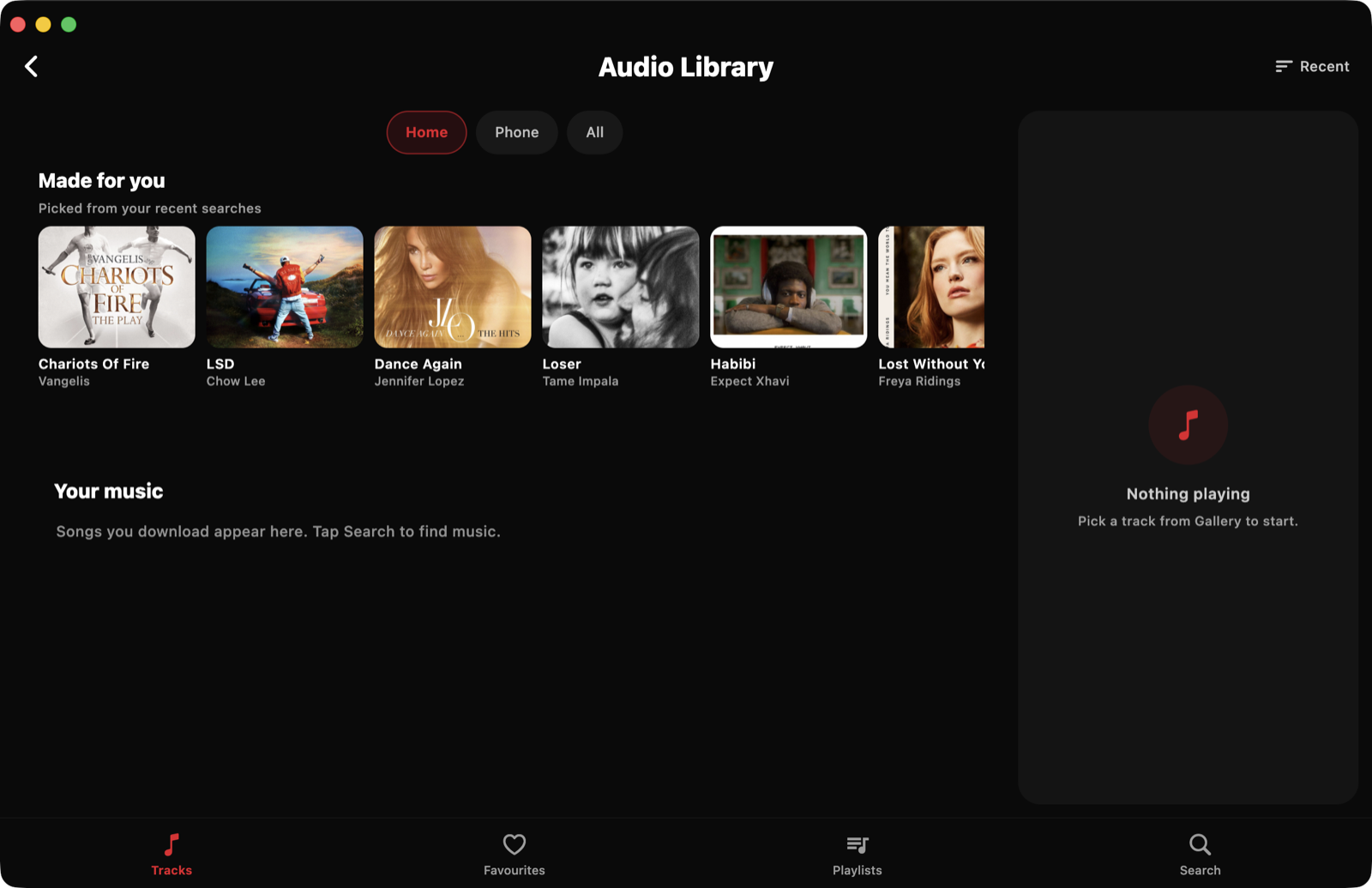
An audio library, playlists, queue controls, lyrics and a mini-player.
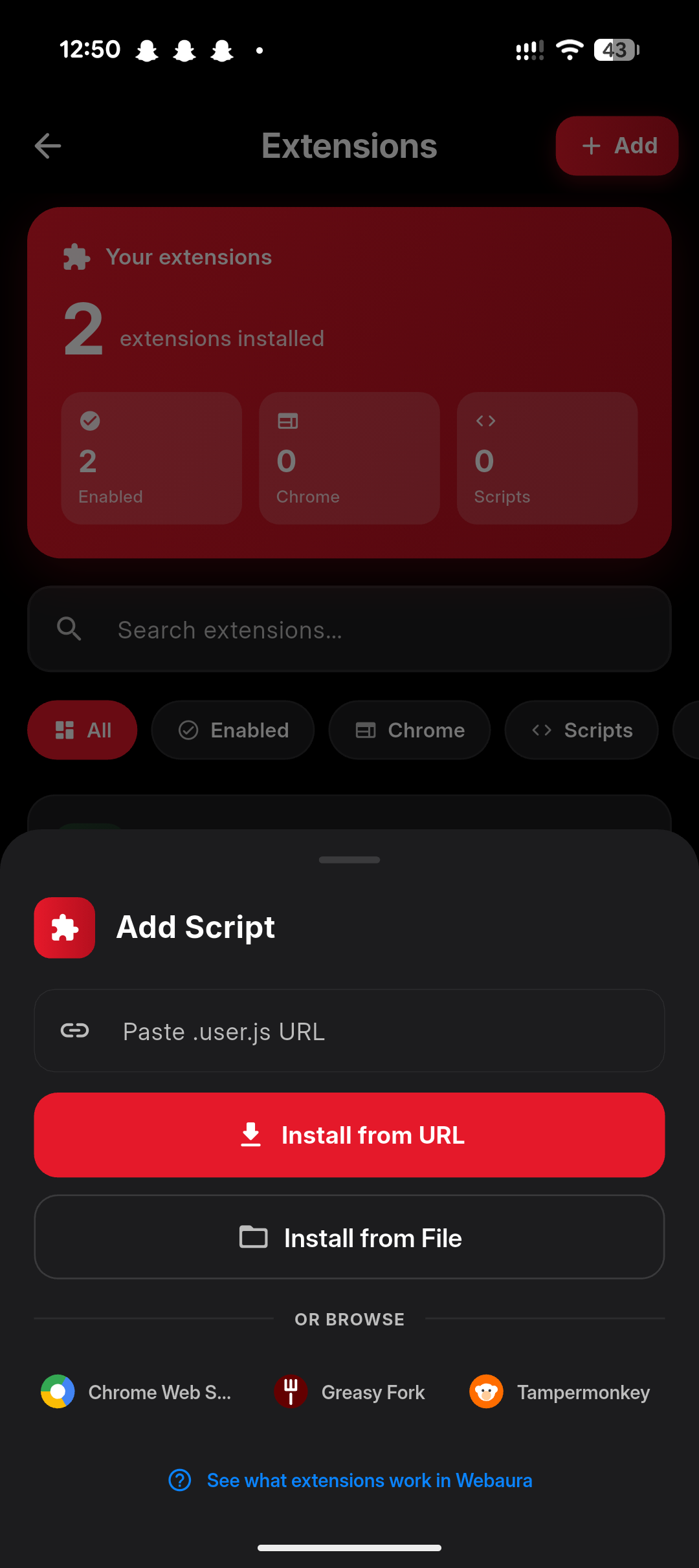
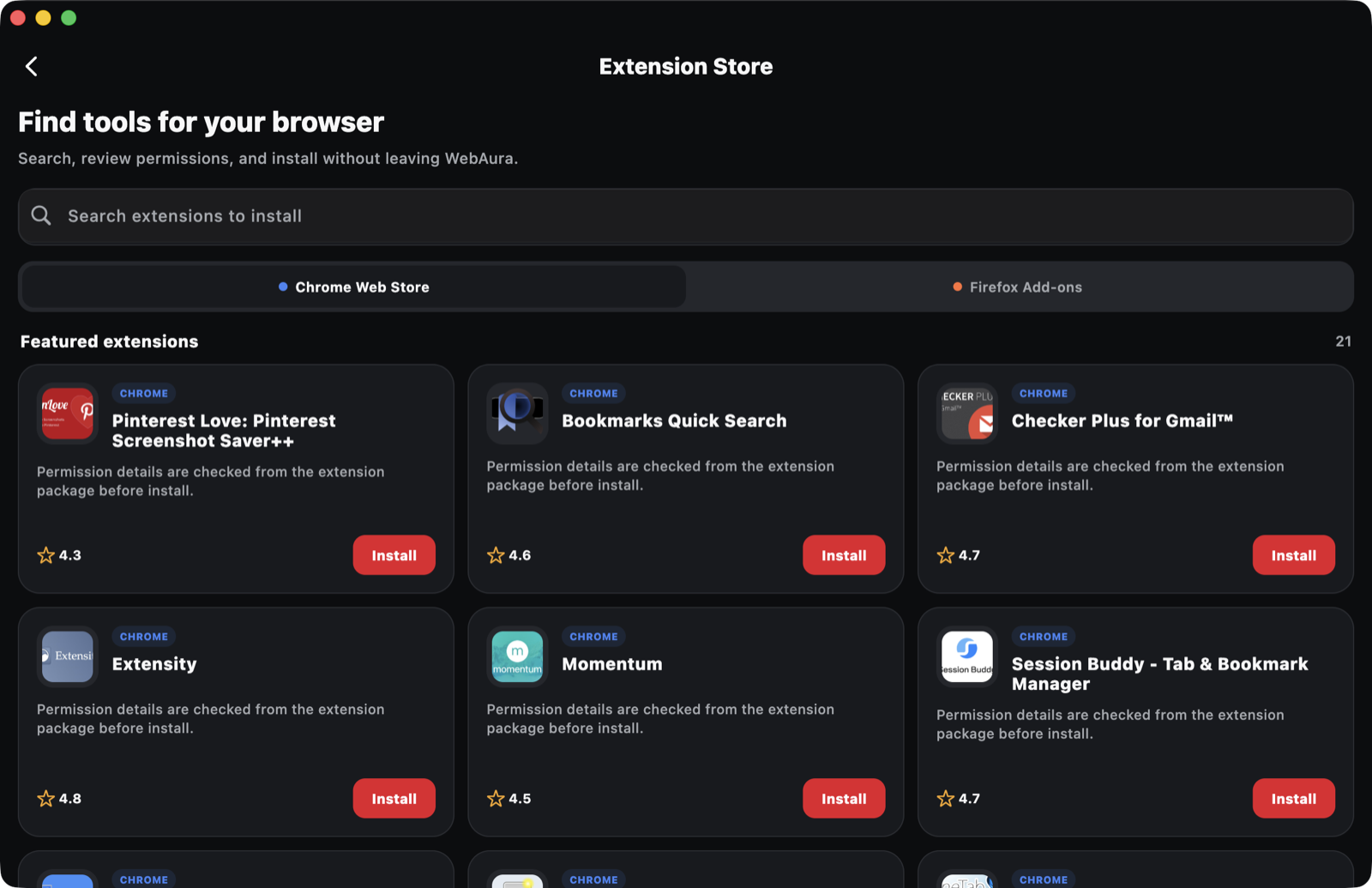
Compatible userscripts and content extensions with visible site access.
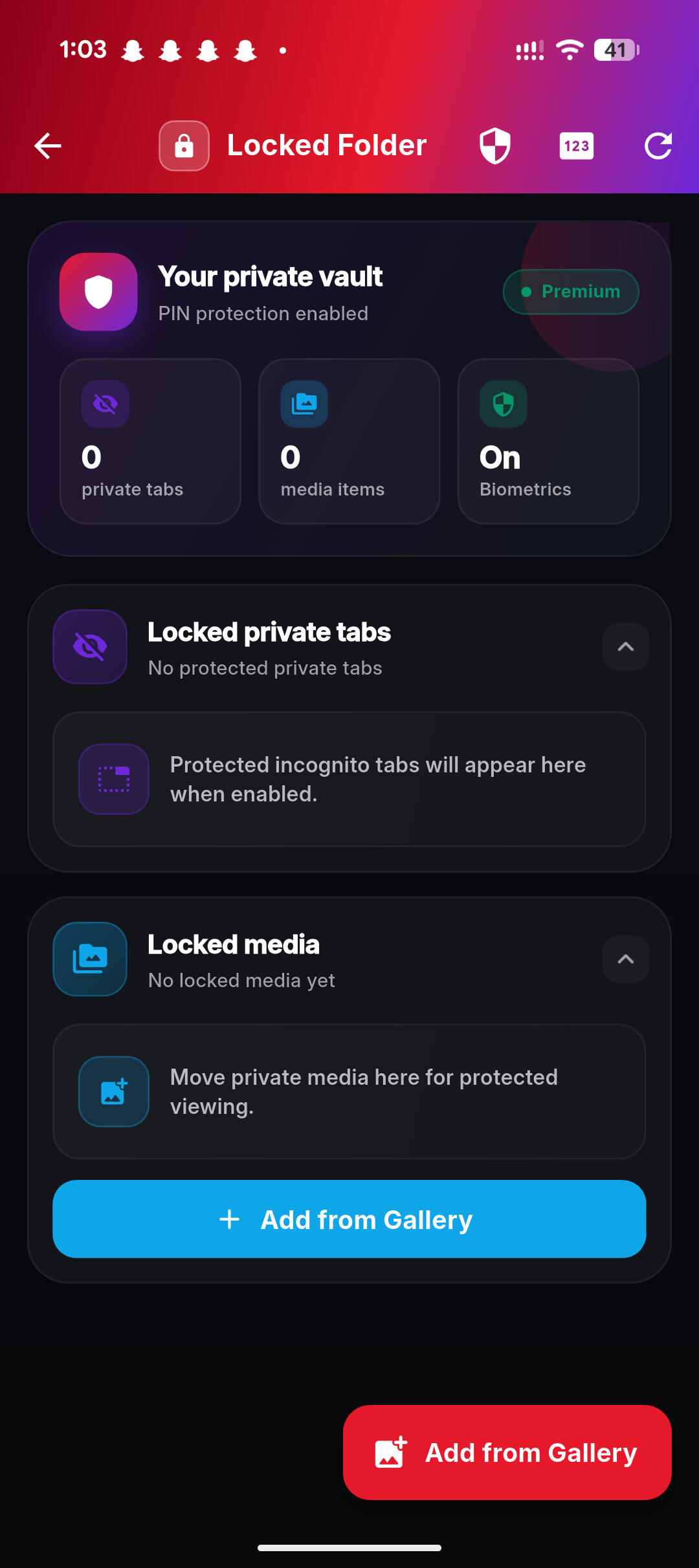
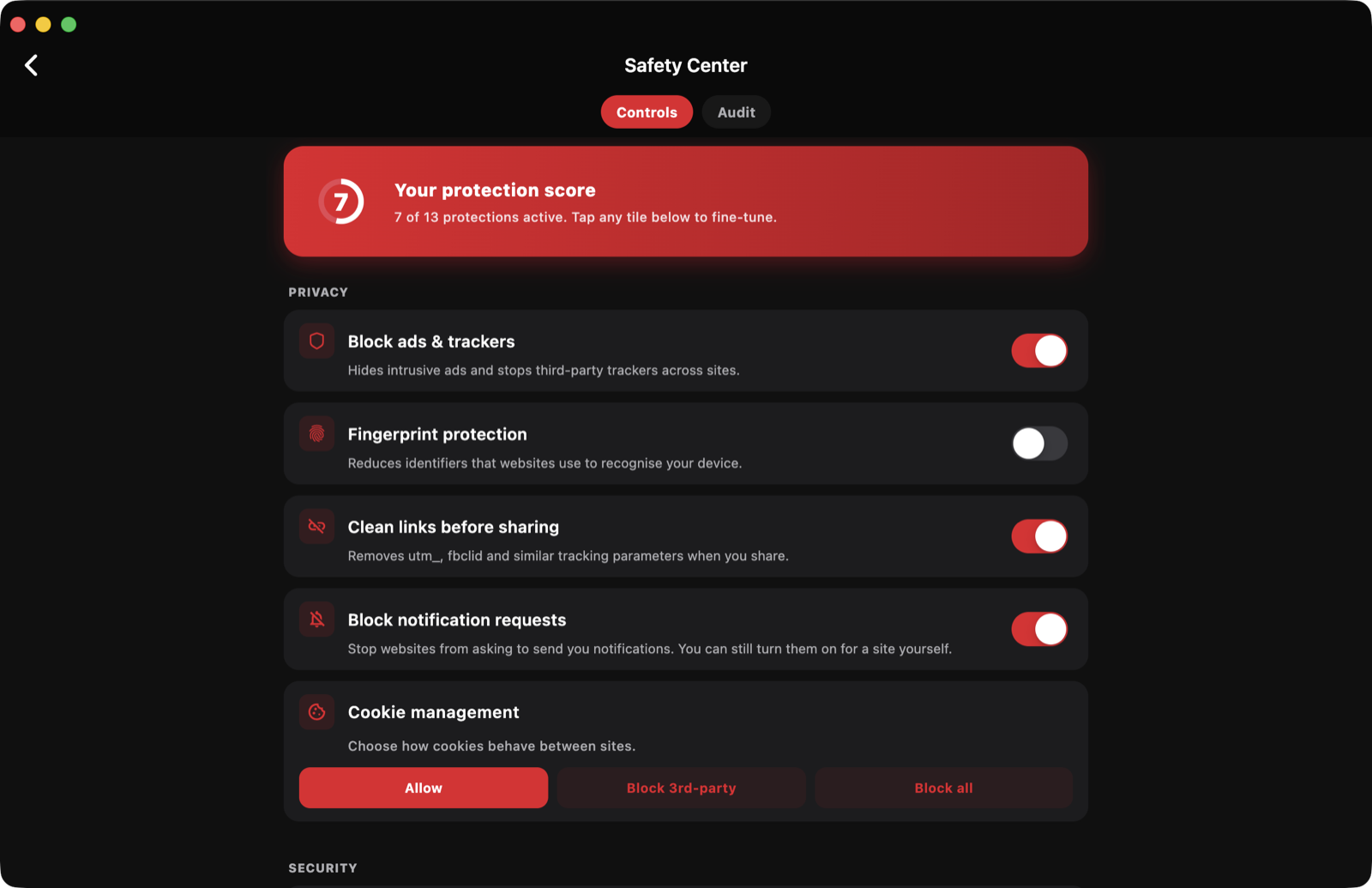
Site permissions, private sessions, clear-data controls and locked files.
Fresh features
Features can vary by platform and release. Check the current store listing and in-app interface for availability.
Use private tabs, site controls and local browser tools without being forced to create an account.
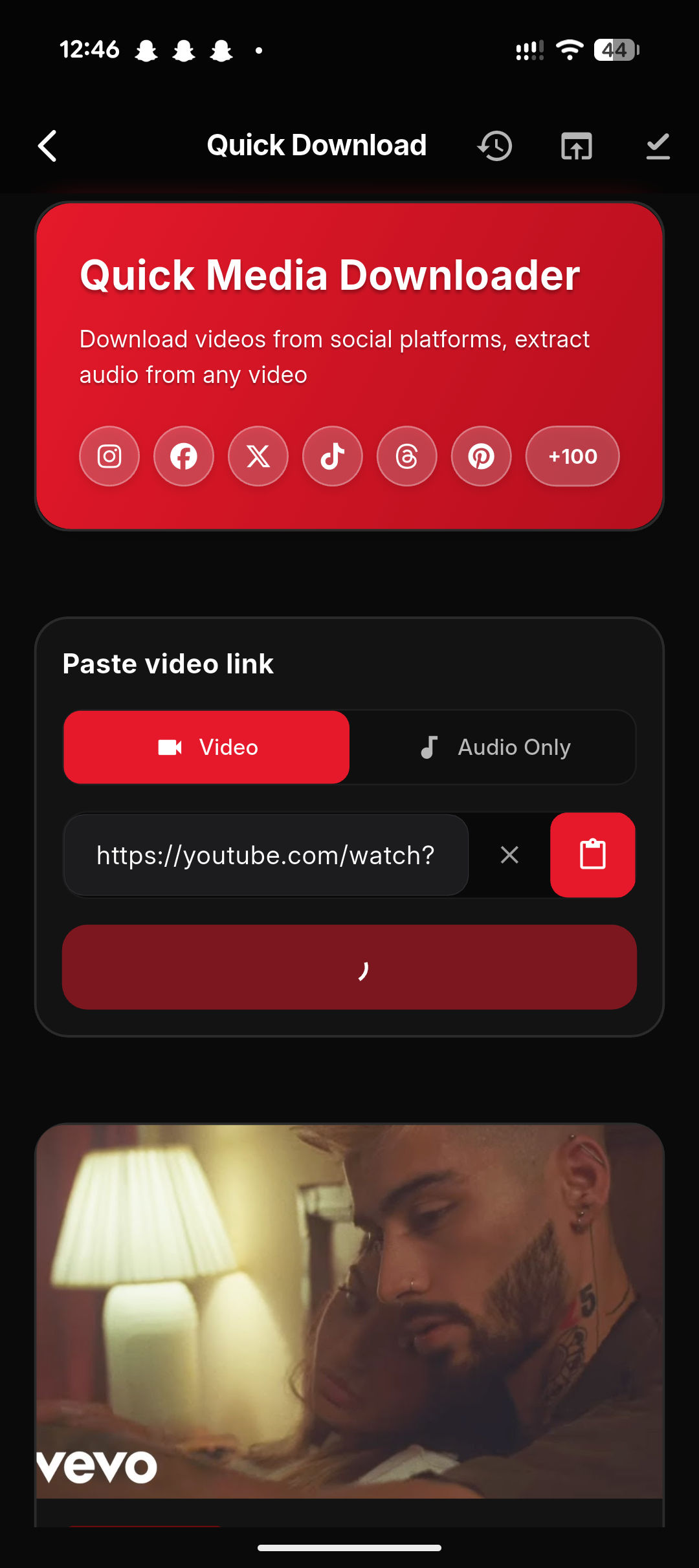
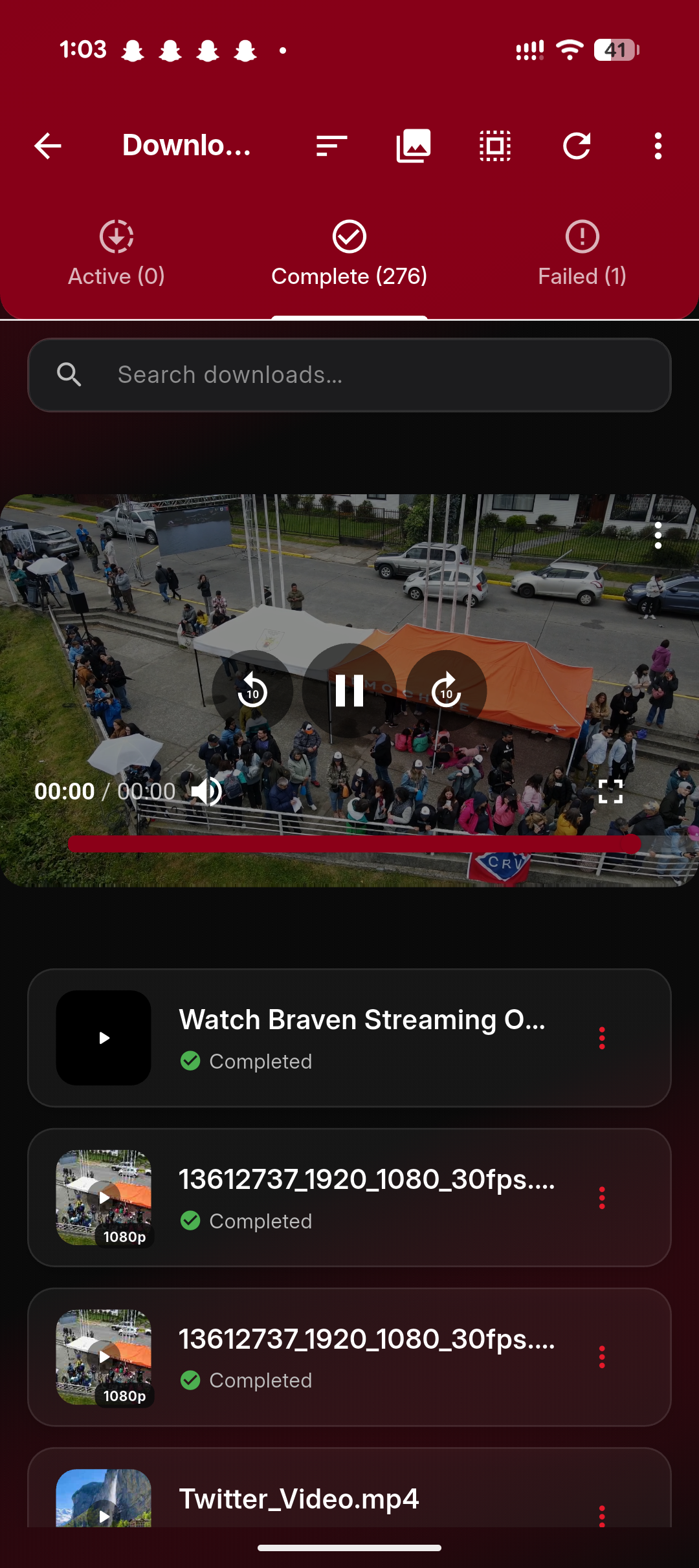
Detect supported media, choose an available quality and keep downloads organised in one place.
Play saved audio, manage playlists, fetch available subtitles and keep a queue, lyrics and a mini-player close by.
Pop playing video out of any site. The control appears only while media is actually playing.
Install compatible scripts and selected browser extensions, with controls available inside Settings.
Keep private files in a protected folder secured with the security available on your device.
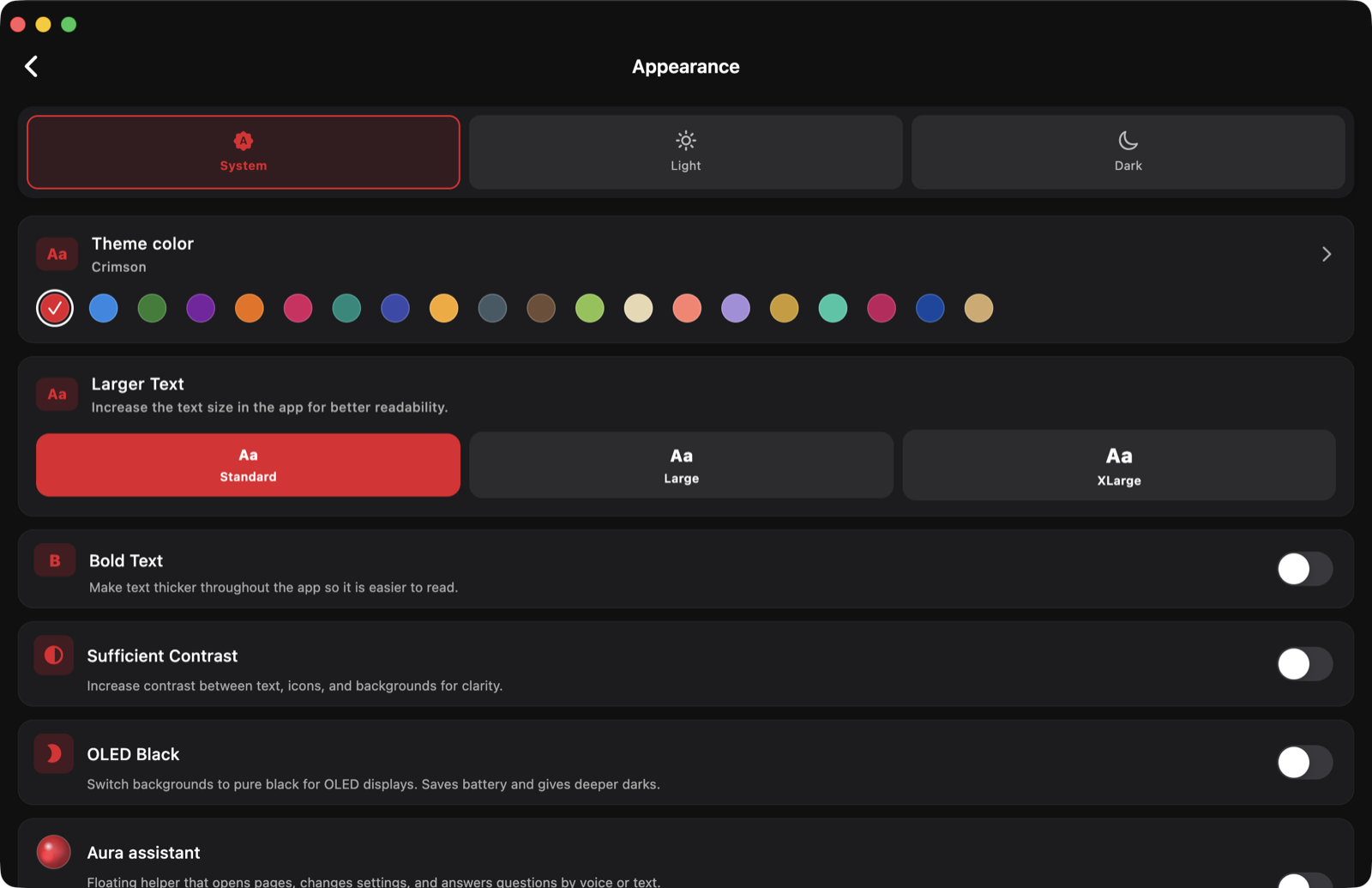
Choose themes and backgrounds, then pin the controls you actually use — on phone and desktop.
Large files split into parallel parts for quicker, more resilient saves that survive leaving the page on Android.
Fetch available subtitles or captions for supported media and keep them with your saved files.
Ad and tracker controls, site permissions, private sessions and clear-data tools in one place you can find again.
Available through Google Play and Huawei AppGallery, with direct desktop downloads for macOS and Windows.
Earn or purchase points in supported mobile builds, then redeem eligible passes and in-app perks.
Quick Downloader
When a supported source provides alternatives, WebAura lets you review the available video, audio or file formats and choose the option that fits your device and connection.
Only save media you own, public downloads, or content you have permission or another lawful right to keep.
Music workspace
Saved or imported audio can live in WebAura’s own listening workspace, with enough structure for a queue, a playlist or a longer listening session.
Built around you
WebAura can be arranged for a compact phone, a wide desktop window or a personal way of working. Important navigation remains available while optional actions move closer to where you use them.
What’s new
Every platform gets the same core improvements. Full installers for each release stay available in the downloads section, and all releases are archived on GitHub.
Android and Huawei: fixed gallery-saving failures, improved repeated-filename handling, and restored music controls in notifications and on the lock screen. Windows: improved retention of completed media when saving fails.
Pop playing video out of any site. The control appears only while media is actually playing, so the toolbar stays quiet the rest of the time.
Large files split into parallel parts for quicker, more resilient saves — and downloads survive leaving the page on Android.
Mac and Windows can now pin, reorder and preview toolbar controls just like the mobile apps, alongside keyboard shortcuts and title-bar tabs. Follow ongoing updates on the updates page.
Switching is easy
Settings > Backup & data > Import — WebAura does not lock you in, and does not expect your old browser to either.
First, go ahead and install WebAura from your platform store or a direct installer from the downloads section below.
Bring your data. Settings > Backup & data imports passwords, history and settings from an export file; bookmarks come along too.
Make it yours. Pick a theme, arrange the toolbar, choose your search engine and set WebAura as your default browser from Settings.
Keep a way back. Backup & data also exports — your passwords and history are never held hostage.
Safety Center
WebAura groups the controls that change how a site or session behaves. Private browsing reduces local traces in normal history; it does not make you anonymous to websites, networks or service providers.
Adjust built-in blocking controls without promises of perfect coverage.
Review access to camera, microphone, location, pop-ups and page content.
Use stricter controls around downloads and supported processing requests.
Keep private tabs separate from the normal browsing history workflow.
Remove selected history, cookies, cache and other local browser records.
Protect selected local files with the security available on your device.
Accounts, Premium & Aura Points
Core browsing does not require registration. Sign-in is only for supported account services and eligible entitlement continuity.
Optional identity
Useful browsing and organisation without a subscription.
More capacity for people who save, organise and protect more media.
Earn or purchase points in supported mobile builds, then redeem eligible passes and in-app perks. Plans, local prices and trial availability are shown by the supported platform store at purchase. Windows does not use a separate WebAura billing store.
Browser comparison
WebAura is strongest when you want browsing, saved media and music in one interface. Established browsers remain stronger choices when their larger extension ecosystems or platform integration matter more.
| Capability | WebAura |
 Chrome Chrome |
 Firefox Firefox |
 Brave Brave |
 Safari Safari |
|---|---|---|---|---|---|
| Core focus | Browse, download and listen | General-purpose browser | Privacy-focused general browser | Privacy and built-in browser tools | Apple-integrated browser |
| Desktop extensions | Compatible userscripts and content extensions | Chrome Web Store | Mozilla Add-ons | Most Chromium-compatible extensions | Safari extensions from the App Store |
| Mobile extensions | Compatible userscripts and selected content extensions | Phone flow adds extensions to desktop | Compatible add-ons on Android | Built-in tools; desktop guide covers Chromium extensions | App Store extensions on iPhone and iPad |
| Download workspace | Formats, queue, saved library and subtitle tools | Standard browser downloads | Standard browser downloads | Standard browser downloads | Standard browser downloads |
| Audio workspace | Offline library, playlists, queue and lyrics tools | Not a core browser workspace | Not a core browser workspace | Playlist on supported platforms | Not a core browser workspace |
| Media playback | Picture-in-picture on any site, background audio and subtitle tools where supported | PiP on supported sites | PiP on supported sites | PiP and background play on supported platforms | PiP on supported sites |
| Protected saved media | Locked folder on supported releases | Uses device or file-system controls | Uses device or file-system controls | Uses device or file-system controls | Uses Apple device and file controls |
| Primary platforms | Android, iPhone, iPad, Mac and Windows | Mobile and desktop | Mobile and desktop | Mobile and desktop | iPhone, iPad and Mac |
Comparison describes the products’ documented core capabilities, not every third-party add-on or operating-system feature. Availability can vary by platform and release. Official sources checked 26 July 2026: Chrome extensions, Firefox Android add-ons, Brave features, Brave extensions, Safari extensions on Mac and Safari extensions on iPhone.
Extension support
Install compatible userscripts and content extensions, review the access they request and control the sites on which they can run. WebAura is not a complete desktop Chrome extension runtime.
Read the compatibility guideImport supported scripts from a trusted link, source or local file.
Use compatible tools whose main work happens inside a web page.
Check requested site access before enabling a third-party tool.
Understand unsupported browser APIs and safer installation practices.
Gift access & partnerships
Gift access, creator campaigns and review resources are handled directly so the request can be matched to current availability.
Ask about available WebAura Premium access for a friend, family member, student or community member.
Request gift accessTell us about your channel, organisation or audience and how you would share the app.
Ask about codesRequest product facts, review access, launch material or a conversation about a relevant partnership. Include your organisation, website and deadline. Requests are reviewed individually and availability is not guaranteed.
Contact the WebAura teamInside the app
Real product screens from the browser, downloads manager, music library and privacy tools.
Search, shortcuts and private browsing stay close at hand.
Follow active files and reopen saved media from one library.
Keep downloaded and imported audio in a dedicated library.
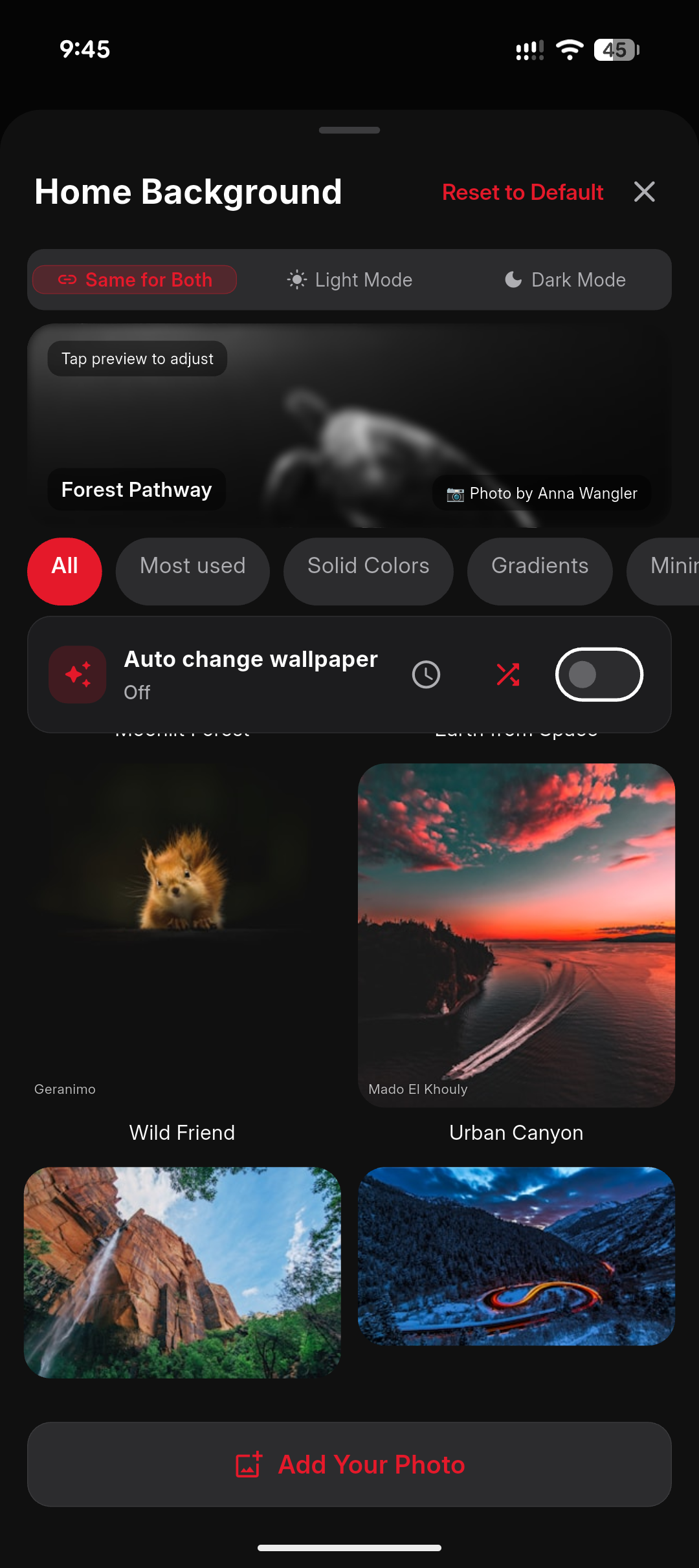
Choose themes, backgrounds and the controls you want nearby.
Review and control compatible userscripts and content extensions.
Move selected local media into a protected folder.
Android, Huawei, Mac & Windows
Official stores are the simplest way to receive updates. Direct packages are available when you specifically need an installer from creedmotions.store.
WebAura on desktop
The macOS and Windows releases use wider menus and panels, title-bar tab layouts and a practical first-open window. Downloads remains available from the browser toolbar and customisable navigation areas supported by the release.
Download the universal disk image for supported Apple silicon and Intel Macs.
Install from the Microsoft Store for automatic updates, or use the 1.6.4 64-bit Setup package below. Store versions may differ. The direct installer is unsigned and may trigger a Windows SmartScreen warning.
Huawei users can install WebAura from the official AppGallery listing. Direct packages for version 1.6.4 are available below. This update fixes gallery-saving failures and restores music controls in notifications and on the lock screen. Store updates may appear after review.
Each platform’s available version is shown above. Store availability depends on review and rollout. Older installers stay available here if you need them, and every release is archived on GitHub Releases.
Questions
Platform features can vary by release. These answers describe the current product direction and available install routes.
Yes. You can browse directly in WebAura or share a link into it when you want its download, media or page tools.
Yes. WebAura registers as a browser on Android, iPhone, iPad, Mac and Windows. Use the in-app prompt or your system default-apps settings, and links from other apps will open in WebAura.
No email account is required. WebAura currently offers anonymous sign-in only, with an optional restore code for reopening the same private identity later. Keep the restore code safe — it is the only way back into the same identity.
Export your passwords, bookmarks or history from your current browser, then use Settings → Backup & data to import them. The same screen exports your WebAura data, so you are never locked in.
WebAura supports compatible userscripts and selected content extensions from the Chrome Web Store and userscript directories. Some desktop browser APIs are unavailable, and Apple platforms have extra limits. Read the extension guide before installing.
No blocker can promise perfect coverage, and we will not pretend otherwise. WebAura combines filter-based blocking with per-site controls, and coverage is strongest on Android and Windows. If a site breaks, allow-list it for that site.
Yes where the platform allows it. Picture-in-picture pops playing video out of any site, and background audio can continue for supported pages while you work elsewhere on the device.
Downloads can be available from the upper browser toolbar, bottom navigation or compact menu. Use Customise Toolbar to place it in the layout supported by your release.
Use WebAura for your own files, public downloads and content you have permission or another lawful right to save. The app does not grant rights to third-party media.
Yes. Mac and Windows support familiar browser shortcuts, and Settings → Keyboard Shortcuts lists what is available in your release.
Purchase or restore an eligible plan through an Apple or Google version, then sign in on Windows with the same WebAura account. Windows reads that verified entitlement and has no separate billing store.
Store versions update through their stores. Direct installers are published on this page and archived on GitHub Releases, with recent changes summarised in the What’s new section above.
Yes. Use the available in-app controls and follow the WebAura data-deletion guide for local files and account records.
No. The privacy policy explains exactly which providers process limited data for app functions, analytics, advertising or purchases — and what never leaves your device.
Availability and help